How to change the Carrier Booking number after JOB creation and before the container is picked up?
Please find the below steps to Change the Carrier Booking number after JOB Creation:
Steps:
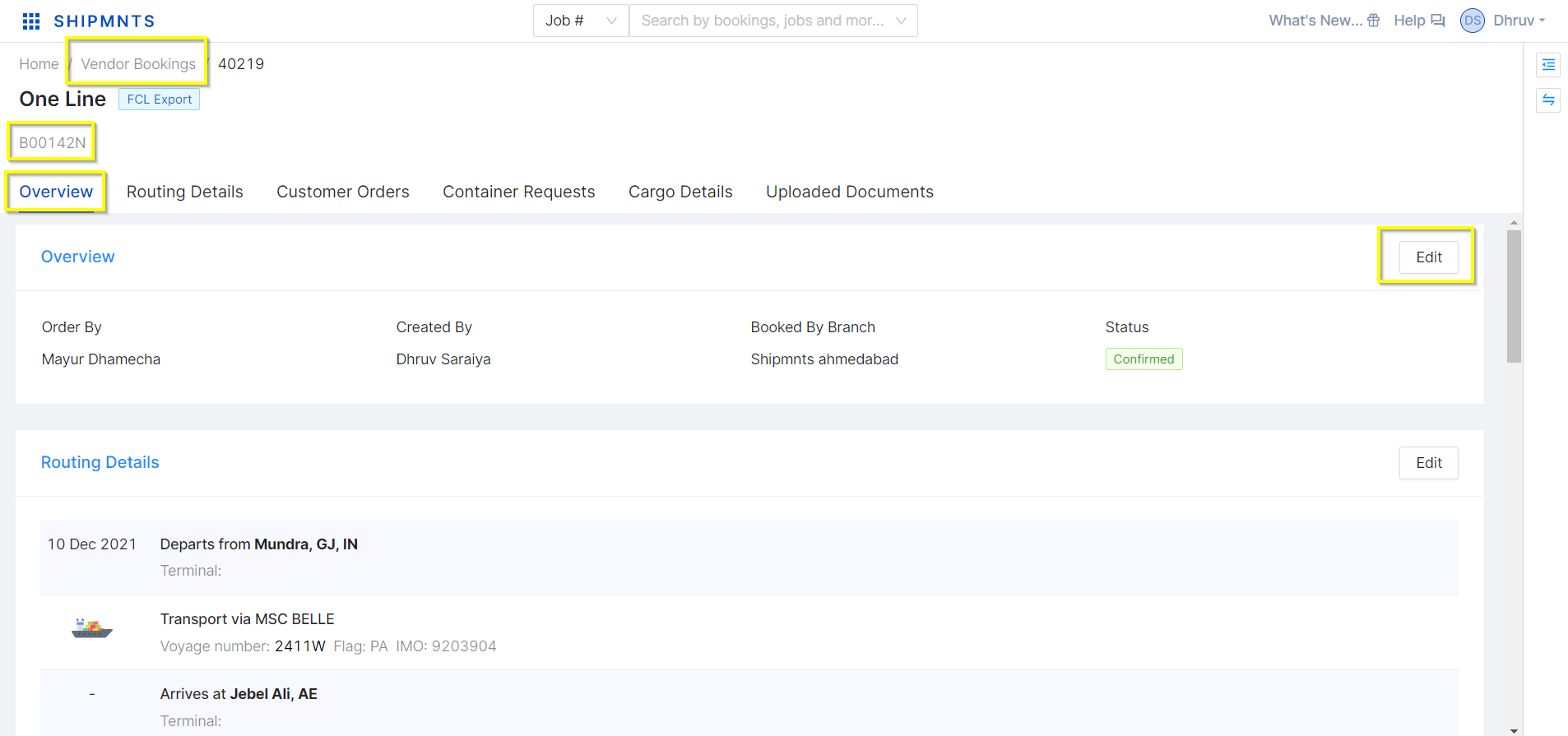
1. Go to the Vendor Boking (Carrier Booking) report screen and open the carrier booking in which need to update the carrier booking number
2. Go to the overview screen and click on the "Edit" button
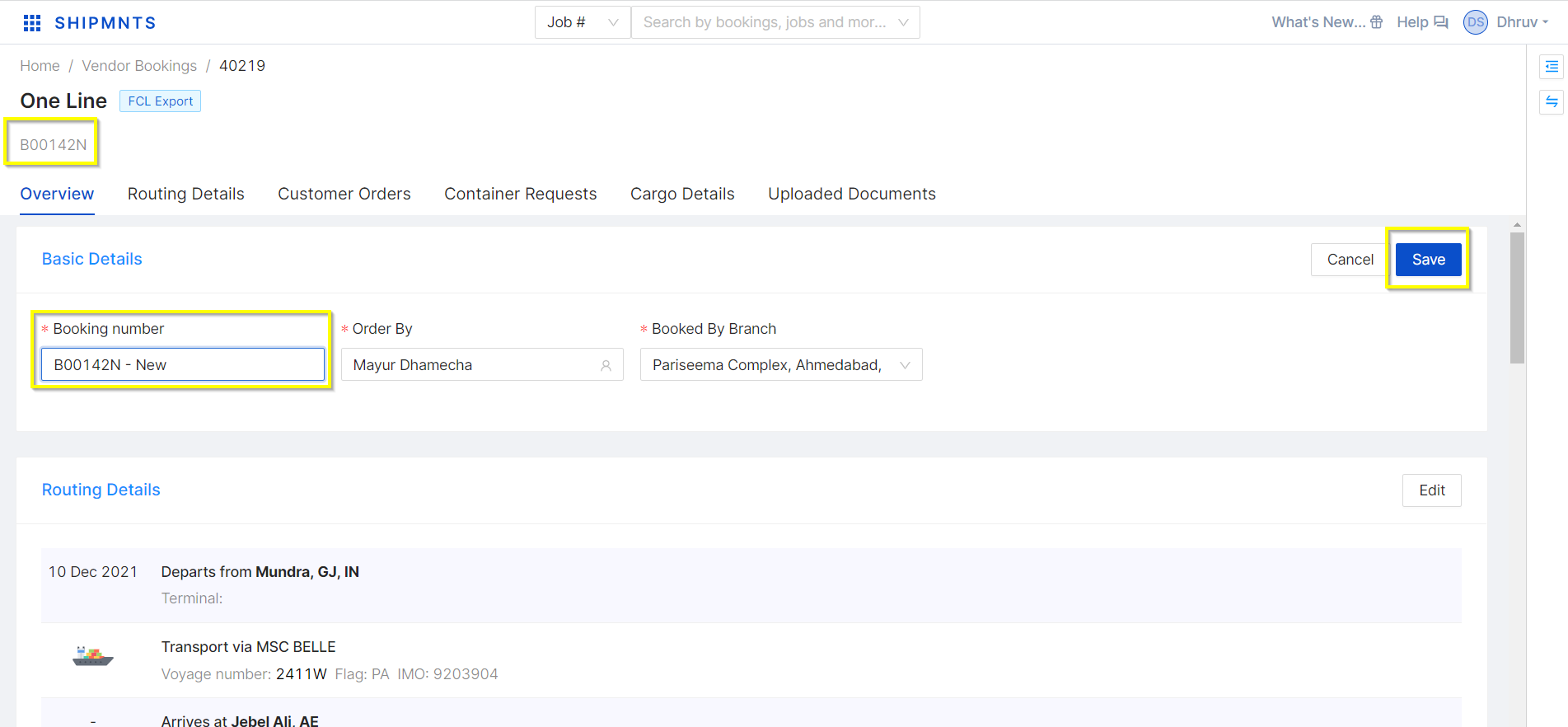
3. In the Booking number field enter the New booking number that needs to change and click on the "Save" button
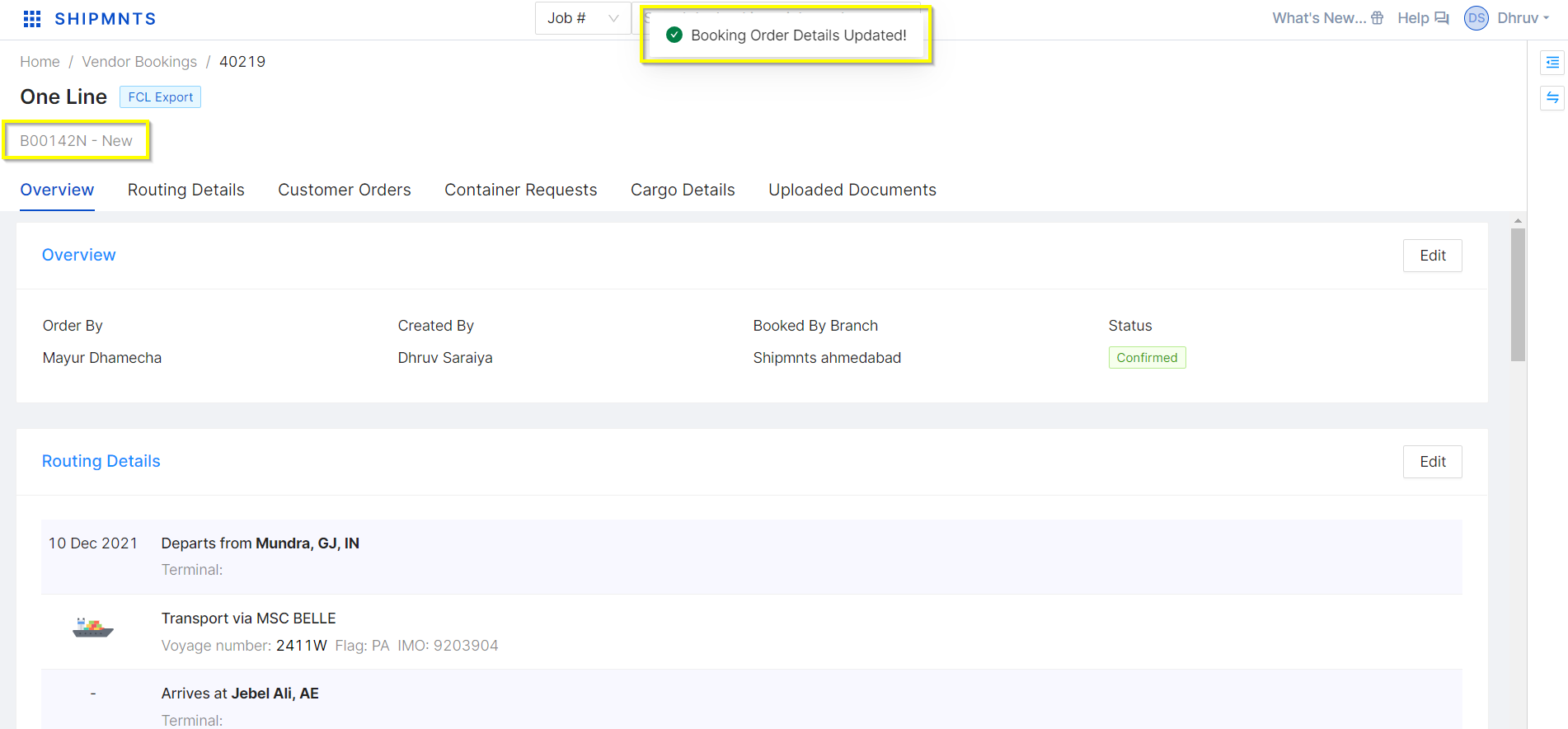
4. Now system shows the updated Carrier Booking number in the booking edit page
Related Articles
Ocean Export - Shipment Creation
Learn End to End Ocean Export Shipment Creation From Order Creation. Video With Timestamp 00:00 Intro 00:22 Ocean Export Customer Order 01:25 Create Ocean Export Customer Order(FCL) 01:37 Basic Details of Customer Order 04:04 Routing Details of ...Ocean Export - Shipment Creation
Learn End to End Ocean Export Shipment Creation From Order Creation. Video With Timestamp 00:00 Intro 00:22 Ocean Export Customer Order 01:25 Create Ocean Export Customer Order(FCL) 01:37 Basic Details of Customer Order 04:04 Routing Details of ...How to Change Taxable amount while Purchase Invoice Creation.
Let Us Understand this by taking the example: Received Invoice for Travelling expenses from a vendor of Rs.25000 TDS is applicable in the amount of 12000 In the above case, you need to change the Taxable amount manually. Please read carefully below ...How to Change Taxable amount while Purchase Invoice Creation.
Let Us Understand this by taking the example: Received Invoice for Travelling expenses from a vendor of Rs.25000 TDS is applicable in the amount of 12000 In the above case, you need to change the Taxable amount manually. Please read carefully below ...Air Export - Shipment Creation
Video With Timestamp 00:00 Intro 00:20 How to add Received stock AWB in the system 04:14 How to create Air export Customer Order 04:28 Navigate to Create Customer Order 05:05 Basic Details in Customer Order 06:56 Party Details in Customer Order 07:18 ...