How to create a Sales Team and Sales Person
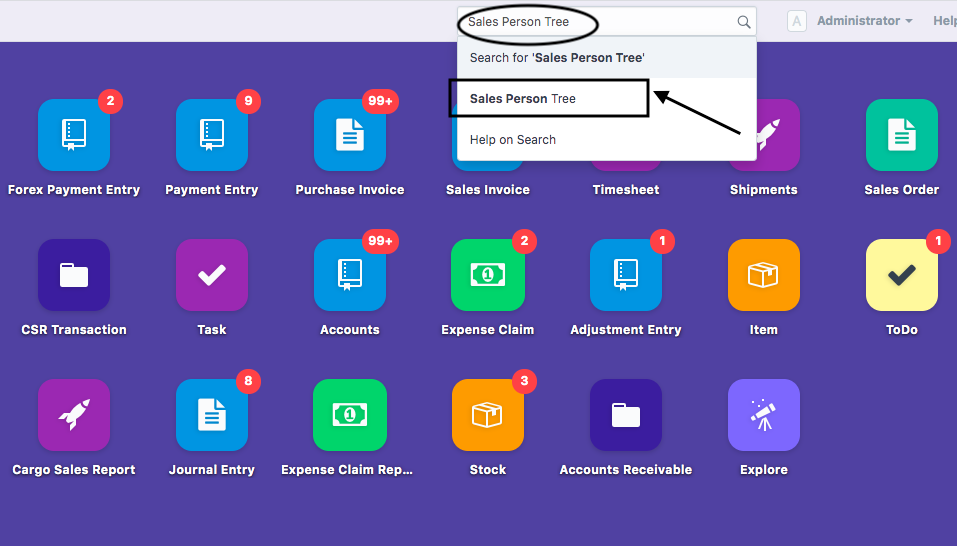
To go to Sales Team listing view in the finance module, In your dashboard, go to “Search Bar” and search “Sales Person Tree”
- Select Sales Person Tree (as shown in figure)
Following page will open up:
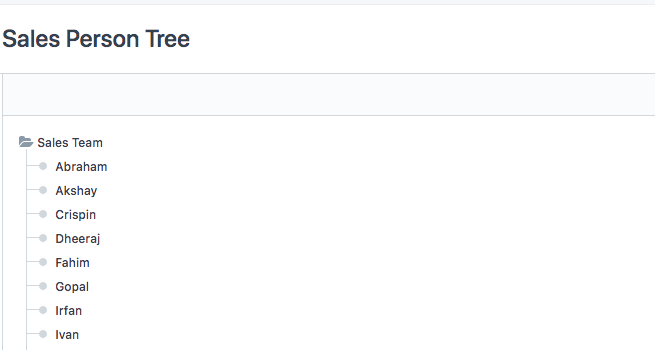
This shows list of "Sales Persons" created within "Sales Team" (If Created from beforehand)
How to create different groups within the Sales Team Module ?
You might want to create different groups under your sales team who handles different tasks.
- Sales Team-Parent Team under which different groups/teams can be created
- Child- Group-within the Sales Team
In order to create a group under Sales Team, follow the steps:
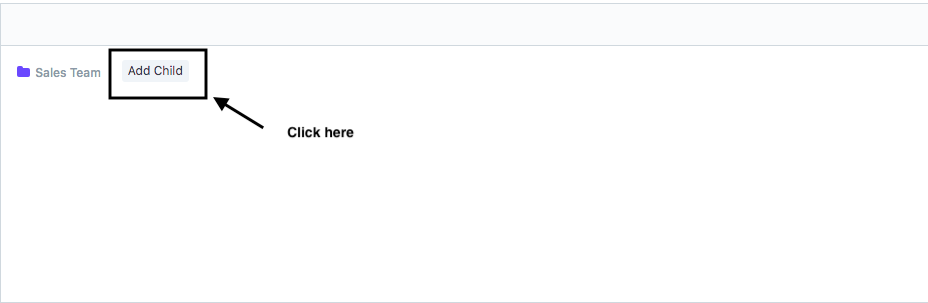
Click on "Add Child" under "Sales Team"
Following pop-up will appear on clicking of "Add Child" ( as shown in figure)
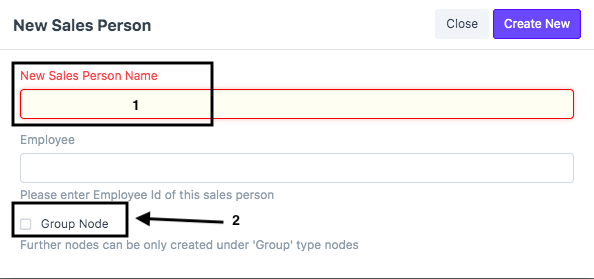
Enter the following details:
- New Sales Person: Name of the Group Under Sales Team. For example, "Customer Service" ,"Operations"
- (*) Check the Box "Group Node" to create this as a Group" (as shown in figure)
- Click on "Create New"
A new group "Customer Service" would create within the sales team (as shown in figure)

You can create number of groups in the same way
How to create Sales person within a group
In order to create a Sales person within a group you need to follow given steps:
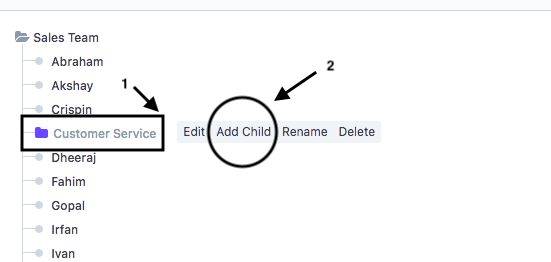
For example, you want to create a a sales person under the group "Customer Service" (as shown in figure)
- Click on Group under which you want to create sales person
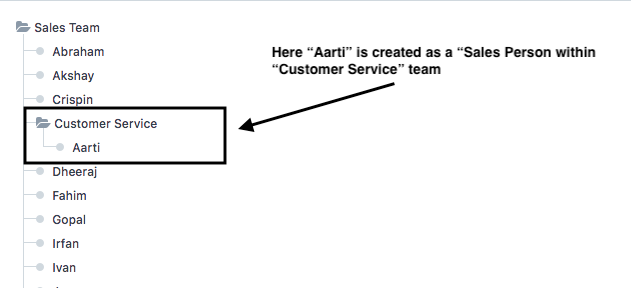
For example, you want to create a sales person as "Aarti" within "Customer Service" group
- Select "Customer Service" group ( shown as "1" in figure)
- Select "Add Child" under Customer service group ( shown as "2" in figure)
Following pop-up will appear on clicking of "Add Child"
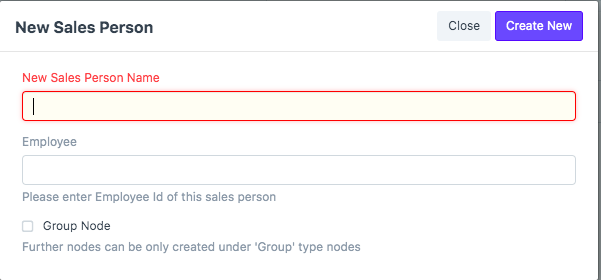
- Enter the Name of the Sales person ( For example,"Aarti" )
Note:This time you don't have to check "GROUP NODE"
Following Hierarchy would be visible:
How to create Sales person under Sales Team
In order to create a Sales person within a Sales Team you can follow the given steps:
- Click on "Add Child" under "Sales Team" (as shown in figure)
For example, you want to create a sales person as "Ashish" under "Sales Team"

Following pop-up will open on clicking of "Add Child" (as shown in figure)
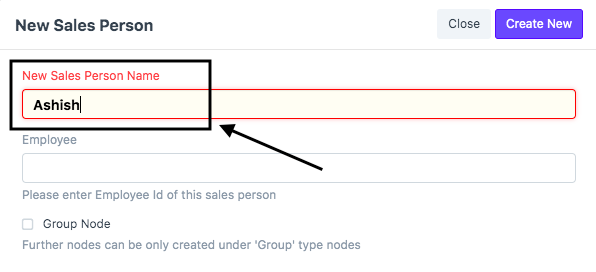
You need to enter the following details:
- New Sales Person: Name of the Sales Person Under Sales Team. For example, "Customer Service" ,"Operations"
- Click on "Create New"
Note:This time you don't have to check "GROUP NODE"
Did this answer your question?Related Articles
How to create a Sales Team and Sales Person
How to create a Sales Team and Sales Person Helps you create a new Sales Team and Sales person Alok Patel To go to Sales Team listing view in the finance module, In your dashboard, go to “Search Bar” and search “Sales Person Tree” Select Sales Person ...How to Create Sales Invoice (With Job/Shipment)
How to Create Sales Invoice (With Job/Shipment) Sales Invoice- Invoice generated by a Freight Forwarder for the shipper (Customer) for the services rendered to Shipper. Alok Patel When a shipment/job is made and the invoicing team wants to raise a ...How to Create Sales Invoice (With Job/Shipment)
How to Create Sales Invoice (With Job/Shipment) Sales Invoice- Invoice generated by a Freight Forwarder for the shipper (Customer) for the services rendered to Shipper. Alok Patel When a shipment/job is made and the invoicing team wants to raise a ...Creating and Sharing a Sales Quotation
In Shipmnts all Quotes are tied to Inquiries. You cannot create a quote without creating an Inquiry first. Click Here to view how to create an Inquiry. 1. Click on Sales under navigation Menu 2. Click on Active Inquiries 3. Go to Workspace Quick ...How to create a new customer
How to create a new customer Helps you create a new customer in finance module Alok Patel To go to Customer listing view in the finance module, In your dashboard, go to “Search Bar” and search “Customer List” How to enter basic details of a customer ...