Managing your Subscription

Following article will show you how to manage your overall seat subscription for Shipmnts, update your billing contact & review all your subscription invoices
Increase your User Seat
Open your profile menu to access account and user management settings.

Click on User Management

Navigate to Subscription & Billing to manage your plan and payment details.

Click Buy Seats to add more user licenses to your subscription.

Click the up arrow or add the exact number to increase the number of seats you wish to purchase.

Submit your request to purchase additional seats.

Update your Billing Contact
Edit the billing contact to assign responsibility for subscription payments.
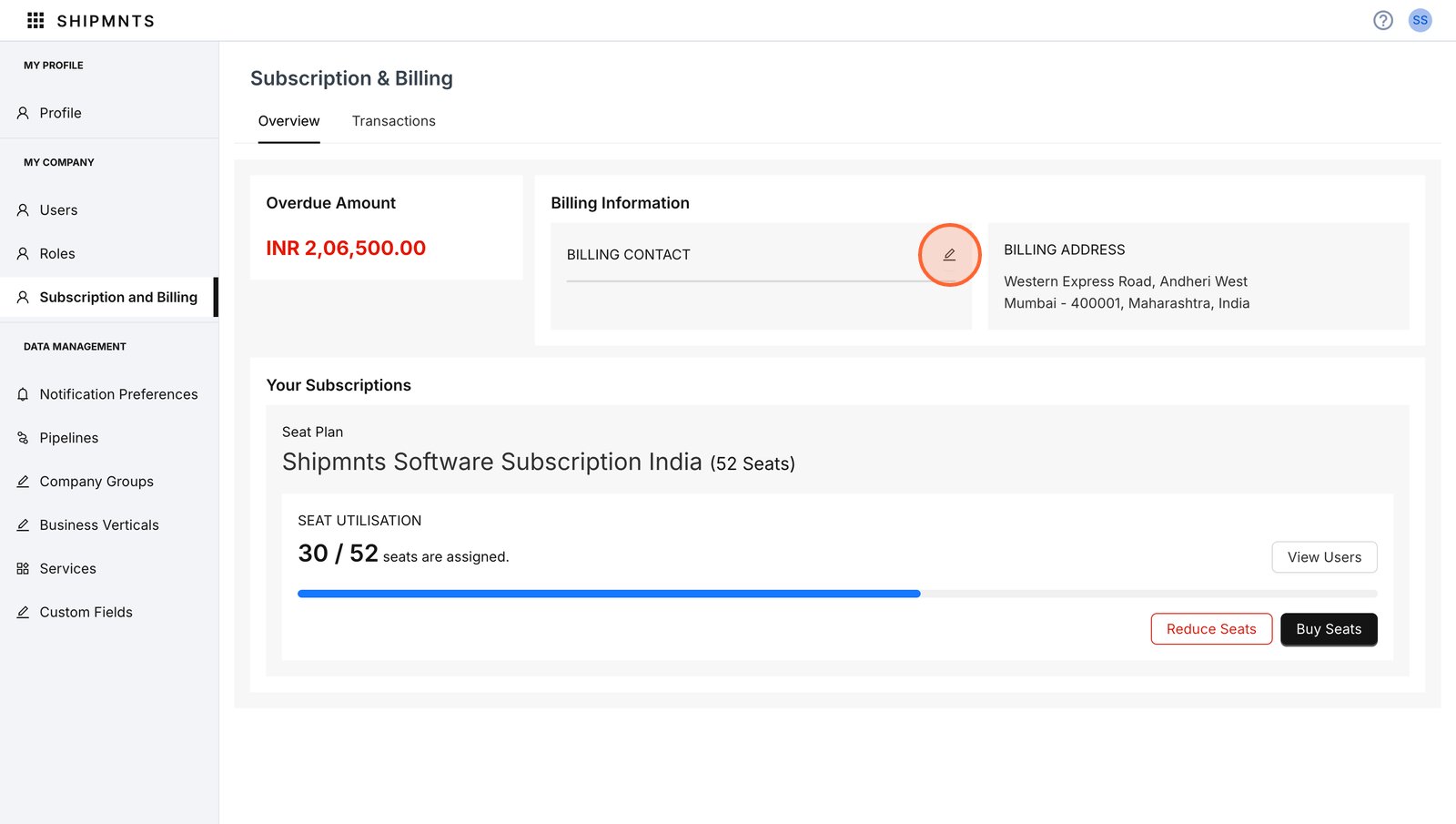
Search from your user to assign as the new billing contact.

Search and selec as the billing contact for this account.


Click update to save

Review your Subscription Invoice
Under the same menu switch to the Transactions tab to view the transaction history related to your subscription and billing.

You can filter by date range or transaction type

Set a custom date range to filter transaction records. (optional)

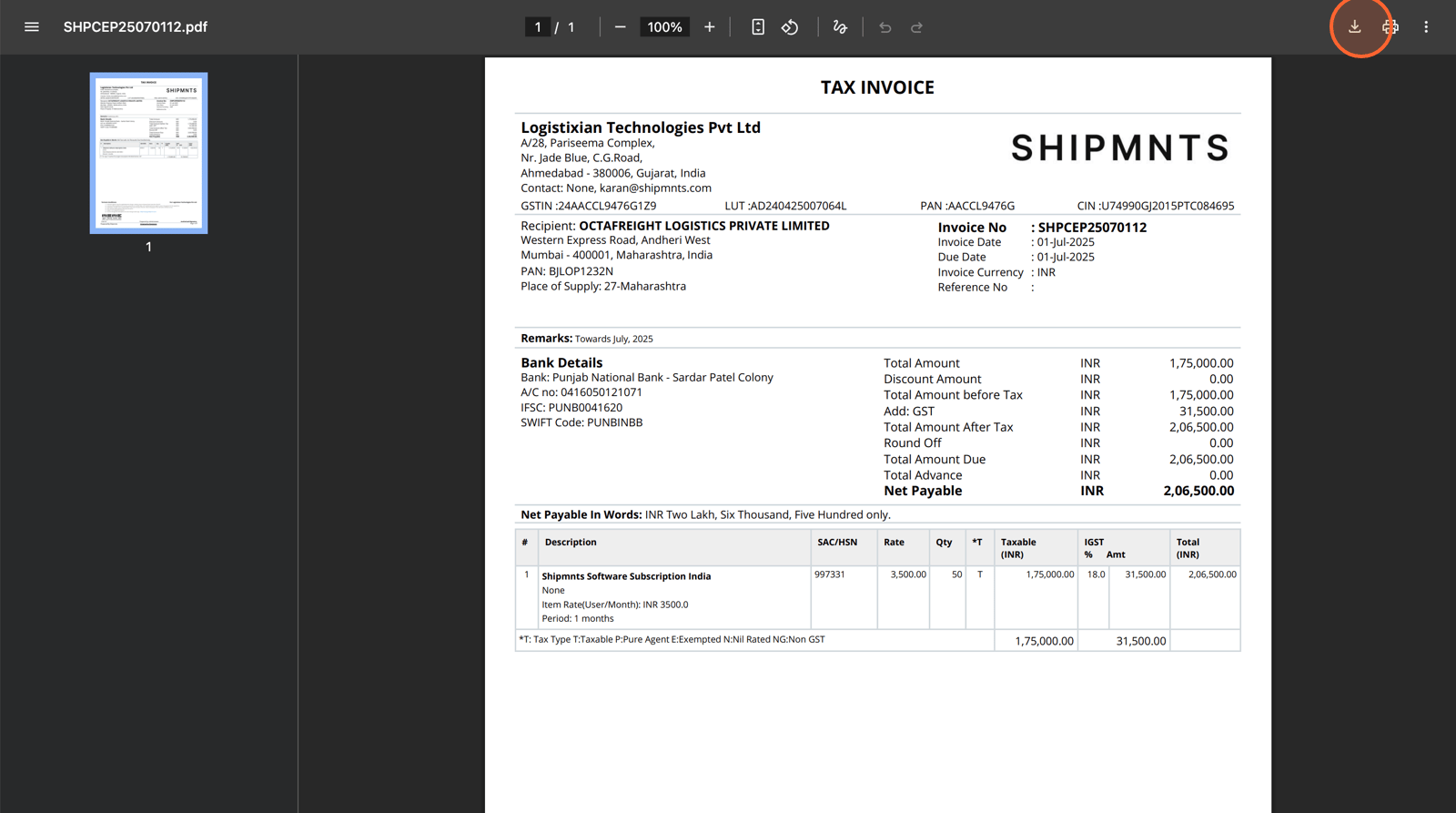
Click on a transaction number to view detailed information about that invoice.

You may also download or print the invoice as needed
Related Articles
Review Subscription Invoice
<br>Updating Your Billing Contact
<br>Increase your User Seats
<br>Managing Different Shipping & Billing Address
<br>Simple Custom Fields
<br>